






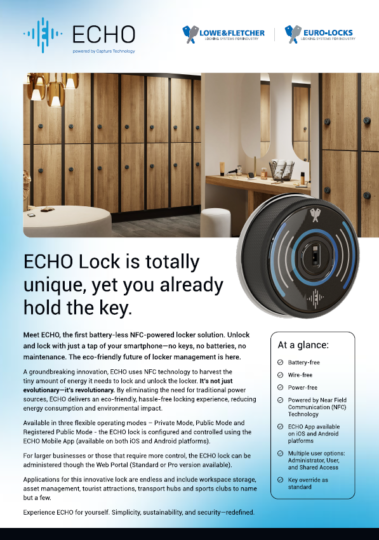
ECHO lock is totally unique, yet you already hold the key

Meet ECHO, the revolutionary, battery-free, NFC-powered locking system
Lock and unlock with just a tap of your smartphone – no keys, no batteries, no maintenance.
The eco-friendly future of lock management is here
A groundbreaking innovation, ECHO uses Near Field Communication (NFC) technology to harvest a tiny amount of energy from your phone to open and close your lock. By eliminating the need for traditional power sources, ECHO delivers an eco-friendly, hassle-free locking experience, reducing energy consumption and any environmental impact.
ECHO is revolutionary, it’s evolutionary – and it’s also better for the planet.

How it works
ECHO couldn’t be easier to use: No keys. No codes. No cards. No problem.
To use an ECHO lock, all you need is your phone, a mobile signal or a WiFi connection – plus our ECHO App. That’s it! No need for Bluetooth or wireless hubs and routers, ECHO simply connects to the Cloud, fuss-free.
While ‘Capture Technology’ harvests a tiny bit of energy from your phone, Near Field Communication (NFC) gets ready to talk to the lock. If you’ve never heard of NFC before, that’s the bit of kit your phone uses when you use Google Wallet or Apple Pay to make super-secure cardless payments at the checkout. Yes, it’s that safe to use.
Powered by ‘Capture Technology’
With ECHO, you get all the advantages of a fully connected, networked system – but without any wires.
Energy-harvesting NFC technology lets ECHO ‘capture’ the tiniest amount of energy directly from your smartphone. How tiny? Less than 1% of your phone’s battery charge. Energy-wise, it’s like sending an SMS message, or snapping a quick photo on your phone.
ECHO means never having to worry about batteries again. No batteries to check. No batteries to change. No batteries to throw away. And that all means less maintenance. Lower costs, plus a smarter, cleaner way to manage your locking system.
Near Field Communication (NFC) – The Technical Bit
NFC is a short-range wireless technology that lets you securely pass data from one device to another. It’s the same technology you already use when you make a contactless payment with your smartphone or payment cards. Reassuring, or what?
How ECHO uses NFC
ECHO transfers a secure token from your phone to the lock, granting you instant, secure access.
One-time use, secure transaction
Once the transaction is complete, that token is immediately deactivated and cannot be reused. This ensures super-safe security every time you use an ECHO lock.
What makes it unique?


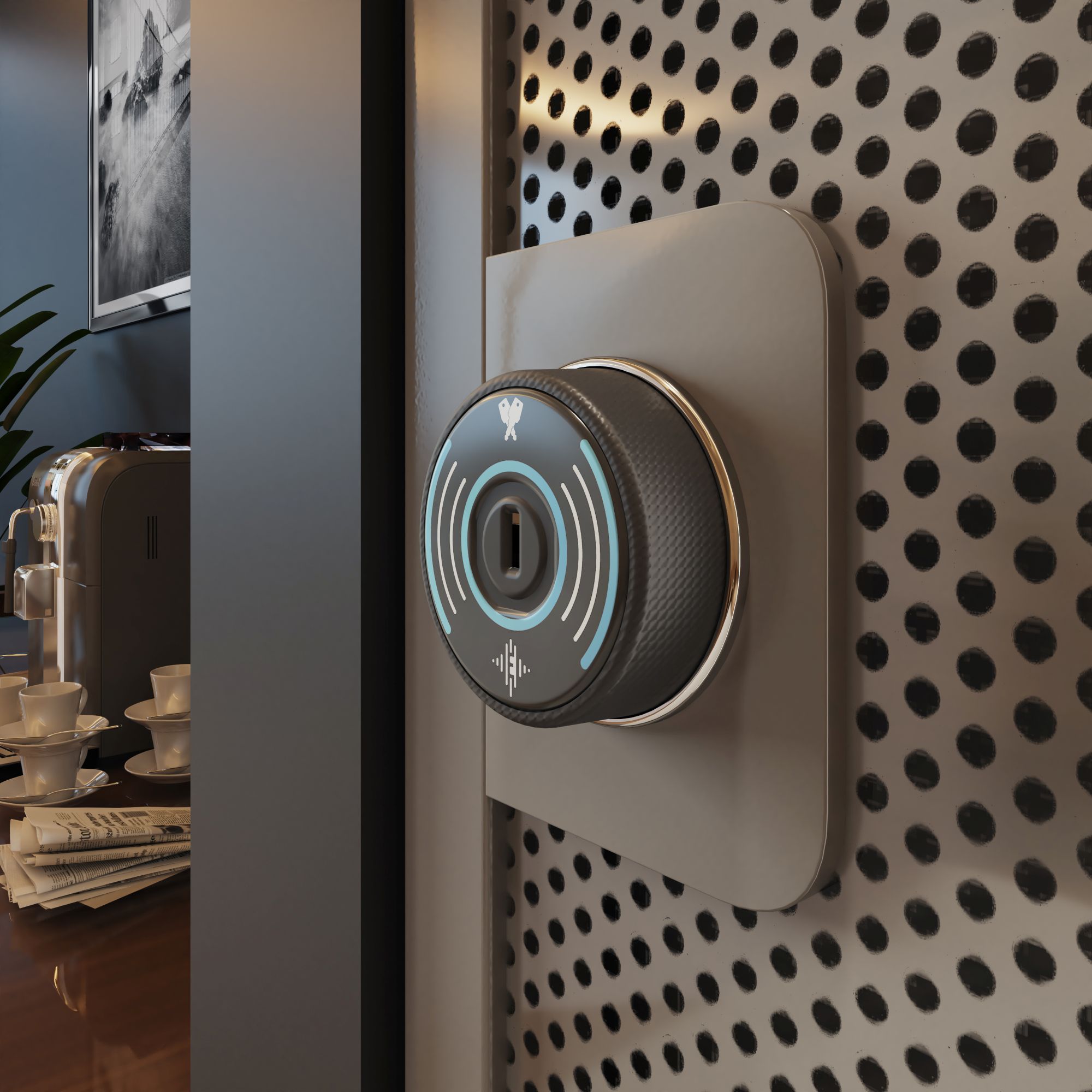
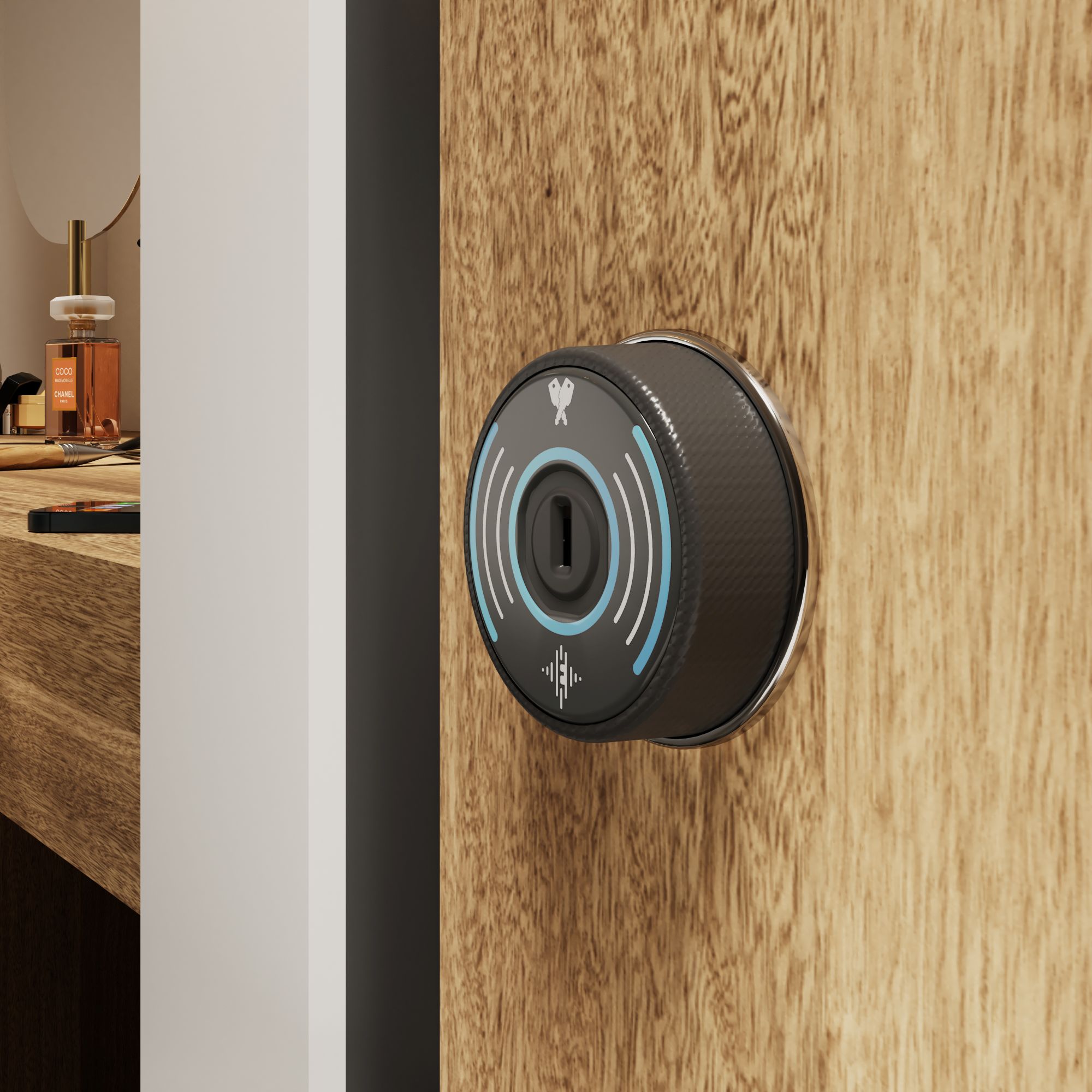
Take a closer look
Flexible operating modes
Making your locker installation work harder
ECHO gives you the flexibility to use the lock however you want. You can now have a single bank of lockers in your reception area that can be used by visitors or guests (Public Mode), or you can exclusively allocate lockers to staff and employees for their own use (Private Mode). Everything is controlled through the App – you simply decide how you want ECHO to work for you.
What modes are available?
ECHO gives you three operating modes – Public Mode, Private Mode, and Registered Public Mode.


App overview
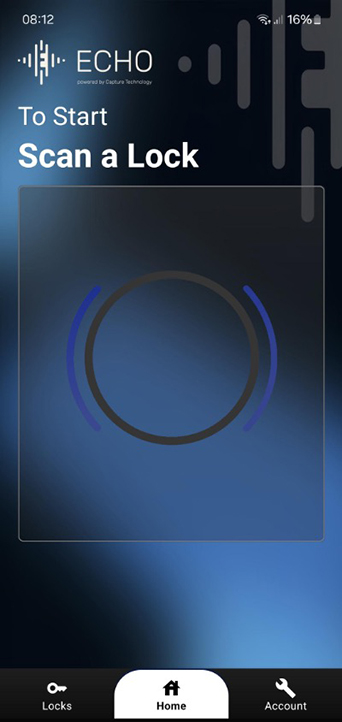
ECHO app – one app, so many uses!
Whether you’re managing locks, or simply storing your things while you head for a workout, ECHO app controls it all. iPhone user or Android user, you’ll find the ECHO app on your app store.
Want to download the ECHO app?
You’ll find it on the App Store and Android Store.
User
As a user of the locks, you can use the App to:
- Lock / unlock your locker
- Share locker access with another user
- View name and location of your lock / locker
Manager or Owner
As the manager or owner of the locks, the ECHO app allows you perform multiple functions including:
- Effortlessly switch locks between its 3 flexible operating modes
- Allocate lockers to users / grant user access
- Send emails to users for account creation
- Unlock ‘blocked’ lockers
Web portal overview
Choose the right plan for your needs
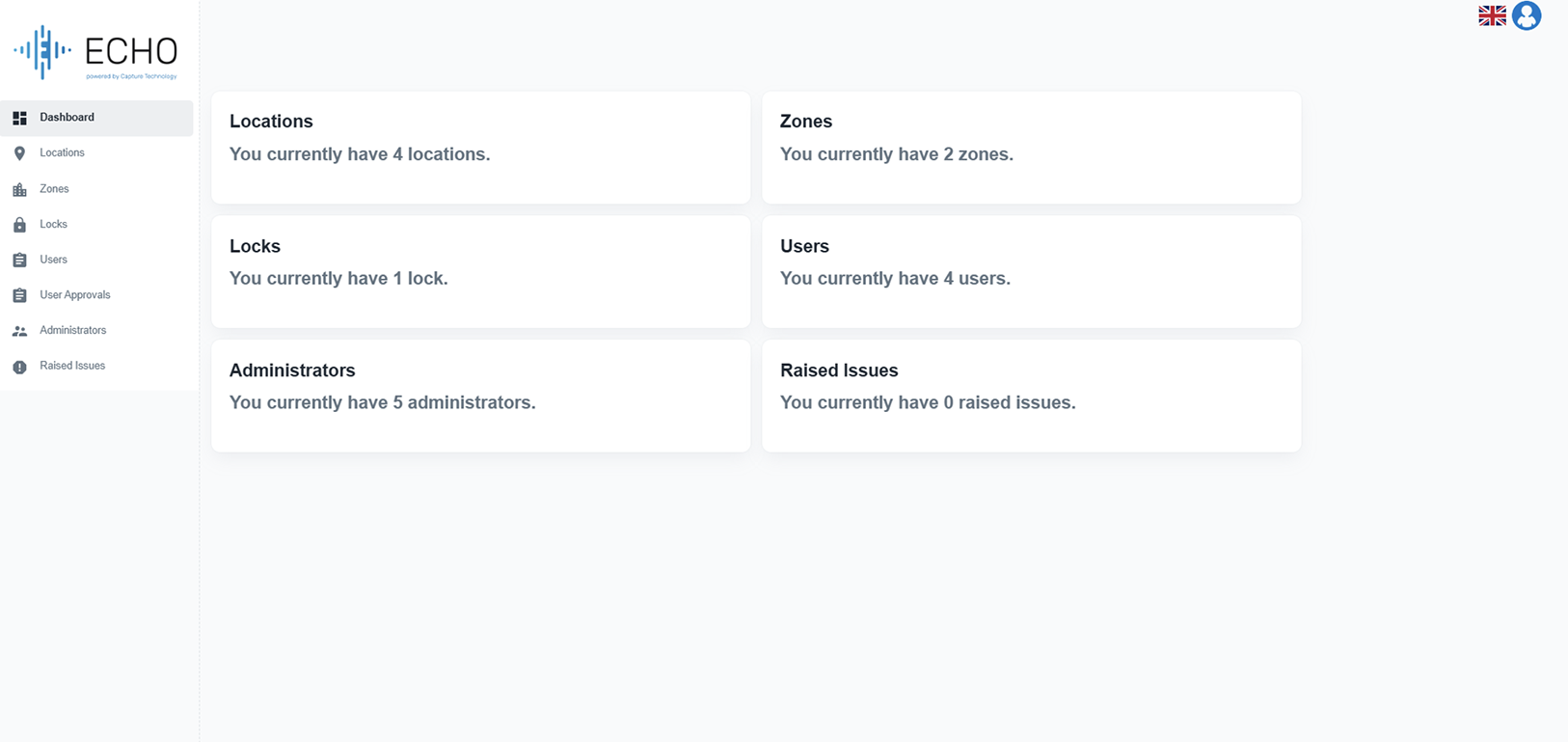
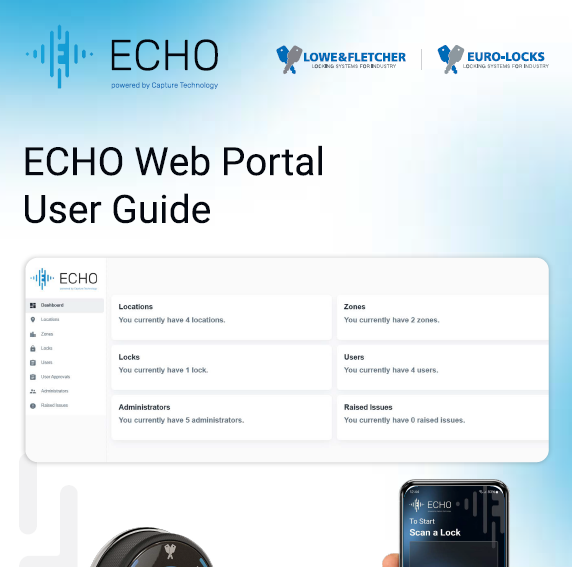
For businesses with larger storage needs or those that require more control, ECHO locks can be administered though the Web Portal.
ECHO Web Standard
As Standard, the dashboard gives you an overview of all ECHO locks, the availability and who is using them. It also allows you to bulk upload email addresses.
The essential features for smaller locations:
- Full ownership control
- Control hub for seamless lock management
- Effortlessly approve and manage user accounts
- Import users in bulk
Try the Standard Plan for FREE on a 30-day trial! Just click the button in the App and sign-up today.
ECHO Web Pro
The Pro version gives you all the features of the Standard version, but with advanced functionality – including usage reports by lock and the ability to restrict the number of locks per user.
Advanced features for full control and enterprise level storage:
- Add unlimited admin users
- Easily transfer ownership
- Monitor lock usage
- Assign multiple locks per user
- Manage multiple locations
- Access comprehensive usage reports including audit trails
Ready to upgrade? Simply click the button in your app now!
Typical applications
Where can ECHO be used?
ECHO is wire-free and easy to use. The possibilities of how you could use it are endless. All you need is a mobile signal or WiFi connection. Here are just some of our favourite uses:
Secure personal storage for employees. This can either be used with ECHO in Private Mode, where lockers are assigned to staff, or in Registered Public Mode, where staff can choose their own locker.
With ECHO in Private Mode, give individual locker access to students and staff.
With ECHO in Private Mode, give controlled access to valuable tools, equipment, or resources.
With ECHO in Public Mode, any member who has access to storage areas (dry only) can choose a locker for use.
General public access to storage lockers in airports, train stations or coach stations.
With ECHO in Registered Public Mode, grant visitor-only access to storage areas.
With ECHO in Registered Public Mode, grant members access to secure personal storage, with a choice of locker (dry areas only).
Find technical information or download our instructional manuals.
Essential guides for you
Software releases
Check back here for all the latest software releases and updates for your ECHO app.
24 April 2025
Version 1.3.13 includes updates for improved scanning performance and stability.
17 April 2025
Version 1.3.11 includes updates and bug fixes to functionality when in registered public mode.
15 April 2025
Version 1.3.10 includes updates to improve overall lock speed and bug fixes.
8 April 2025
Version 1.3.7 includes updated features to the personal details form and and bug fixes.
3 April 2025
Version 1.3.5 adds performance monitoring, fixes the app icon for some Android phones and also adjusts the NFC behavior to stop scanning NFC devices which aren’t our locks.
3 April 2025
Version 1.2.9 contains fixes to zone creation and deletion bugs and also includes missing translations for the login/registration forms.
2 April 2025
Version 1.2.8 features fixes for translations throughout the app, mostly focused on the login/registration screens and messages.
31 March 2025
This release includes multiple improvements, new translations, improved ‘checking’ speed and general UI behaviour.
18 March 2025
Version 1.2.6 includes multiple improvements, new translations, and important bug fixes across lock adoption, active locks, dark mode, and general UI behaviour.
Added translations based on the user’s iPhone language settings:
- English (United States)
- German
- Spanish
- Italian
- Dutch
- Polish
- French
- Portuguese
27 February 2025
Version 1.1.5 includes additional features:
Add native dark mode (based on iPhone appearance settings)
Add time availability checking on locations when scanning a lock
24 February 2025
Version 1.1.3 includes improved UI for login and registration screens, added functionality for personal account deletion and bug fixes.
7 February 2025
Version 1.0.5 includes improving user login expiration detection on the iPhone.
4 February 2025
Version 1.0.3 includes additional lock limit functionality and bug fixes.
30 January 2025
Version 1.0.2 now displays the app version number on login and account pages. It also includes UI improvements and bug fixes.
Ready to order ECHO?
Simply fill out the details below and we’ll get back to you soon.
FAQs
Got a question about ECHO? Maybe we’ve already answered it for you.
Alternatively, feel free to contact us.
No, you can manage as many users as needed through the ECHO app, which allows for assigning, revoking, or modifying access permissions.
ECHO offers three modes: Public Mode (open to anyone), Private Mode (exclusive access), and Registered Public Mode (pre-approved access only).
The ECHO lock works with most NFC-enabled smartphones. Just download the ECHO app from your app store.
Yes, ECHO uses Advanced Encryption Standard (AES) for secure, government-level protection of each access session.
The ECHO lock uses NFC technology, harvesting a small amount of energy from your smartphone to power the lock. Just tap your phone, and you’re ready to go—no batteries needed.
The basic ECHO app is free for essential lock management and use. For a more advanced management experience, an enhanced version is available via a subscription to the ECHO web app, offering additional features and in-depth control options. Choose between monthly or yearly payment plans based on your needs.